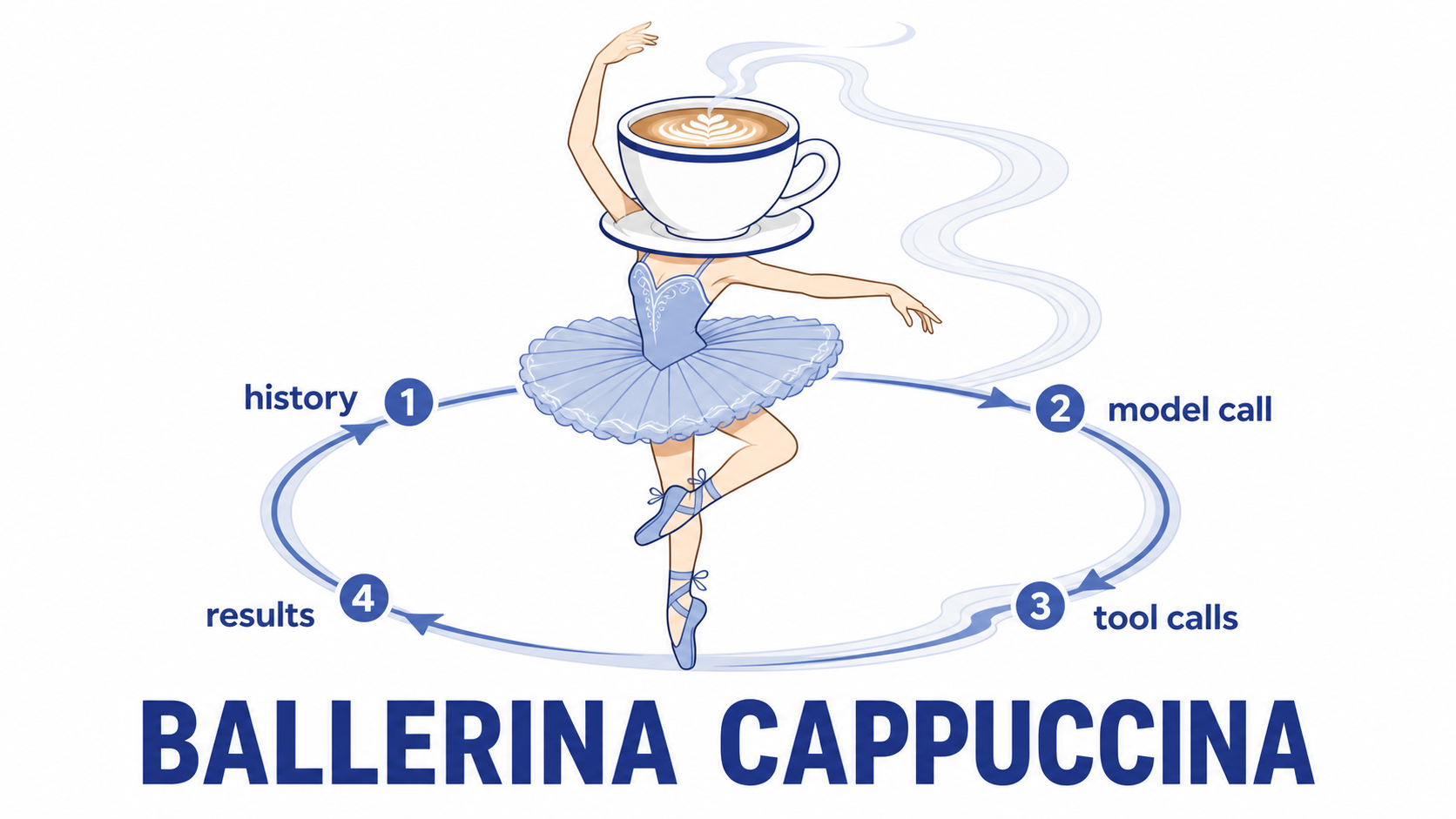
In this activity, you will build an agent in fewer than 100 lines of Python.
The main function is agent_loop in agent.py. This function runs the tool loop and does not depend on a specific task. You will build it once and test it. Later, you will use it in the dispatcher.
Do not use the other starter files in this activity. You will use them in later activities.
---
config:
  layout: elk
---
flowchart LR
    u["user turn"] --> m["message history"]
    m --> llm["model call"]
    llm -- "no tool_calls" --> y["yield: final message"]
    llm -- "tool_calls" --> t["run each tool"]
    t -- "one result per tool_call_id" --> m
The loop must meet these four requirements:
- Add the assistant turn to the history without changes. Keep all content, including the
<think>block andtool_calls. A change can prevent the provider from using its prompt cache. If this occurs,cached_tokensstays at zero. - Add exactly one
role: "tool"message for eachtool_call_id. The API rejects a history that does not have matching messages. - Stop the loop when it reaches
max_rounds. This limit prevents the loop from using too many tokens. - Do not call
next_tick()in the loop. The outer runner calls this function.
Activity: One model call
Help for phase 1
Complete these steps:
- Start with one model call. Do not add tools or a loop.
- Send the system prompt and the task to the model.
- Return all model output as the final message. Include the
<think>block. - Implement this version of
agent_loopinagent.py.
The docstring describes the completed loop. The completed loop removes the <think> block from the final message. Do not remove this block in this phase.
Pyright defines message.content as str | None. Read it as message.content or "".
Run this test with the scripted model:
uv run behave features/agent_loop.feature -n LOOP-1
When the test passes, ask the real model a question that does not require tools:
uv run hadr-agent "in one sentence, why is the sky blue?"
The answer is in a <think>...</think> block. This is correct for this phase. Examine the reasoning, the final answer, and rounds: 1.
The <think> tags
Reasoning models have these properties:
- Most models in this course are reasoning models. This group includes
minimax-m3. - These models put reasoning in a
<think>...</think>block before the answer. - The reasoning can improve decisions that have multiple steps, but it uses more tokens.
The phases use the <think> block as follows:
- Phase 1 displays the block so that you can examine it.
- Later phases use
strip_thinkto remove the block from the displayed answer. - Later phases add the complete assistant turn to the history without changes. This lets the provider use its prompt cache.
When you finish
-
Open a pull request and ask a teammate to review it. Use this small change to confirm that:
- Branch protection prevents you from merging your own change.
@claudesubmits a review.- A teammate approves the change before you merge it.
Resolve process problems before the next activity.
-
Post your most unusual
<think>block to the Padlet. Compare its visible reasoning with what you learned in Tokens and costing.
Activity: The agentic loop
Help for phase 2
Now, add the loop and the tool calls.
One round is one model call. Run the model calls in a loop.
If the model does not request a tool, return its final message. If the model requests tools, do these steps:
- Add the complete assistant turn to the history without changes.
- Run each requested tool.
- Add one
role: "tool"result for eachtool_call_id. - Start the next round.
Stop when the model does not request a tool or when the loop reaches max_rounds.
Before you run the tests, note these points:
- Tests
LOOP-2throughLOOP-5check the first three requirements. - Pyright defines
message.tool_callsas a union type. - Only function calls have
.function. Checktc.type == "function"before you use.function.
Run all the tests:
uv run behave features/agent_loop.feature
Help for invalid tool-call arguments
A model can return tool-call arguments that are not valid JSON. In this case:
- Handle the invalid arguments when the loop runs the tool.
- Correct the arguments in the assistant turn that you send to the provider.
- Do not send the invalid arguments to the provider. The provider will reject the request.
You can use this function:
def _replayable_args(raw: str | None) -> str:
    """Tool-call arguments as the provider will accept them back."""
    try:
        json.loads(raw or "{}")
    except json.JSONDecodeError:
        return "{}"
    return raw or "{}"
Use _replayable_args(tc.function.arguments) when you reconstruct the assistant turn. The function does not change valid JSON. Thus, valid arguments continue to meet the cache requirement.
When all tests pass, use hadr-agent to connect the loop to the example tools:
uv run hadr-agent "roll two dice and tell me the time"
Run these tasks. Examine the rounds value and the reasoning in the <think> block.
# Use a tool for the calculation.
uv run hadr-agent "what is 2**31 - 1?"
# Fetch and decode data in separate rounds.
uv run hadr-agent "what's the secret message?"
# Use tools to examine the project.
uv run hadr-agent "what files are in this project and what is it for?"
The rounds value increases when a task needs a sequence of tools. The loop returns the final message when the model stops requesting tools.
The dispatcher activity will use this loop. Only the tools, prompt, and state message will change.
When you finish
-
Open a pull request and ask a teammate to check the four requirements. Ask the teammate to confirm that:
- The code keeps the assistant turn unchanged.
- The code limits the number of rounds.
The test result does not prove these two requirements.
-
Post your
roundsvalue forwhat's the secret message?on the Padlet. Compare your result with the other results. If another value is usually lower, compare the system prompts.
Activity: Add test scenarios (Optional)
Help for phase 3
Add one LOOP-* scenario for one of these possible errors:
- Invalid tool arguments
- An unknown tool name
- A tool exception
The scripted client in features/steps/agent_loop_steps.py records each request from the loop. If a scenario fails, examine its recorded history before you change the code.
How coding agents use the loop
Claude Code, OpenCode, Cursor, and similar products use this basic loop:
- Send the message history to the model.
- Receive tool calls from the model.
- Run the tools and add one result for each call.
- Repeat the steps until the model does not request a tool.
A production product adds other components around this loop. The following table shows examples:
| Component | What you built | What a production system adds |
|---|---|---|
| Tools | Some example tools | Many typed tools for editing, shell commands, search, and the web. The system can also use connected MCP servers. A permission prompt controls access to each tool. |
| Context | One system prompt | CLAUDE.md, memory, /context and /compact, and subagents. Each subagent reads information in a separate context window. |
| Caching | An unchanged assistant turn | A prompt with the same byte sequence at the start of each call. This can make one session cost $1 instead of $7. |
| Models | One model for all tasks | A different model for each type of task. A less expensive model can search and summarize. A more capable model can make important decisions. |
| Failure control | max_rounds |
Retries, timeouts, limits for large tool results, and sessions that you can stop and continue. |
| Quality control | Your LOOP-* scenarios |
Evaluation suites that run after each model or prompt change. |
In later activities, you will add these types of components to the dispatcher. You do not have to train a model. You can improve the dispatcher through standard software engineering.
For more information, read these resources:
- Effective context engineering for AI agents: Learn how to select information for the context window.
- Writing effective tools for AI agents: Learn how to write clear tool descriptions and return values.
- Effective harnesses for long-running agents: Learn how to control agents that run for a long time.
- 12-factor agents: Read a different method for the prompt, control flow, and state.
- OpenCode source: Find its loop and compare it with your loop.